OneLogin account recovery
Connect OneLogin to Nametag for self-service password and MFA reset.
Connect OneLogin to Nametag to let employees securely reset their own passwords and multifactor authentication (MFA) devices after verifying their identity. The steps below cover connecting the directory. For the rest of the setup — self-service permissions, the self-service site, and monitoring — see the self-service account recovery administrator’s guide.
The first thing you’ll need to do is configure self-service permissions.
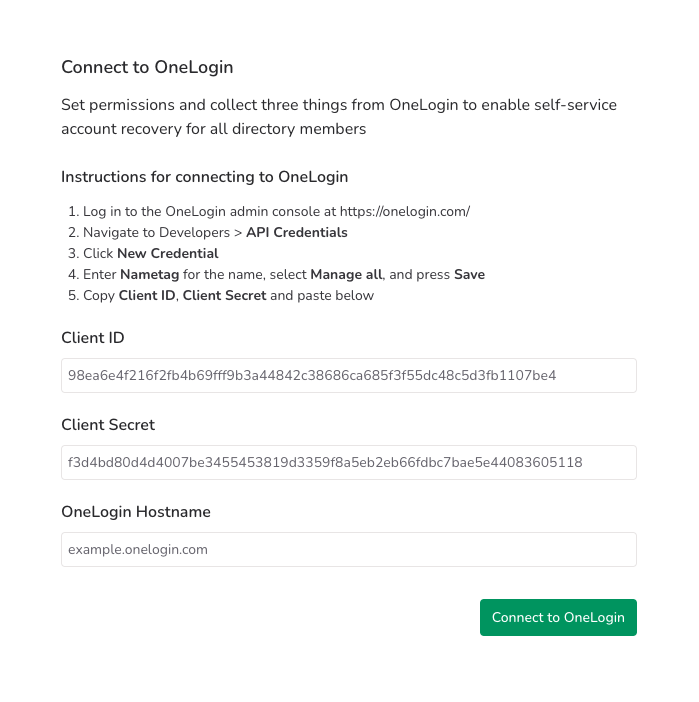
You’ll also need to gather three pieces of information from OneLogin:
- Client ID
- Client secret
- OneLogin host name
To gather this information:
-
Go to your OneLogin site, for example
example.onelogin.com. -
From the Developers menu, choose API Credentials.
-
Press New Credential.
-
For Name enter “Nametag”. Choose Manage all and press Save.
Note: Nametag requires Manage all permissions to manage passwords and MFA devices on your behalf.
-
Copy the Client ID and Client Secret into Nametag.
-
Enter the host name of your OneLogin site (for example
example.onelogin.com) into Nametag.